Inventory overview
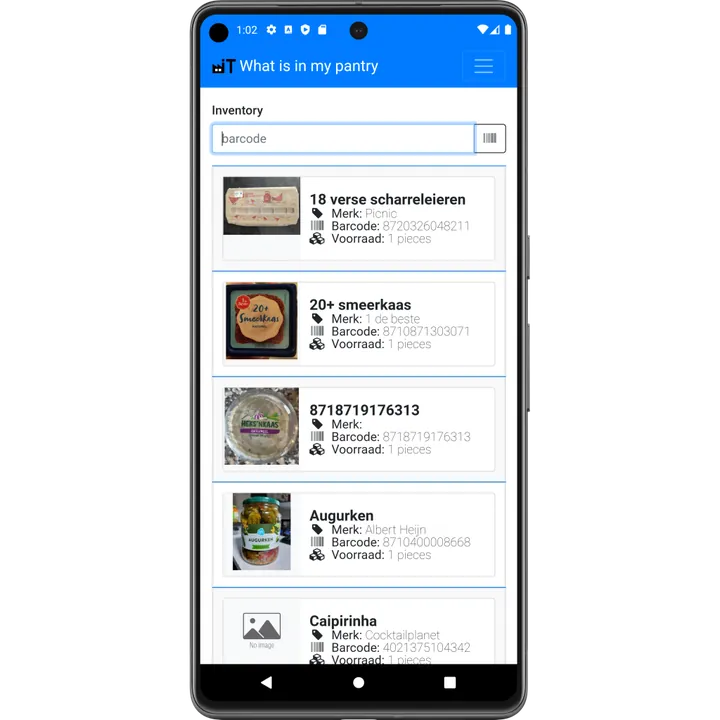
The Inventory page shows everything you have in stock in one list, with product photo, name, brand, barcode and quantity. You can search it by name or barcode, from your phone, tablet or PC, so you can check your stock while standing in the supermarket.
Open the inventory
Press the Inventory button on the main screen or in the menu.
What you see
- Every product in stock with its photo, brand and barcode.
- Total quantity per product, over all locations.
- Stock per location: open a product to see where it is stored and when each item expires.
Scan a barcode in the search field to jump straight to a product. From a product you can open its details, edit it or add it to the shopping list.
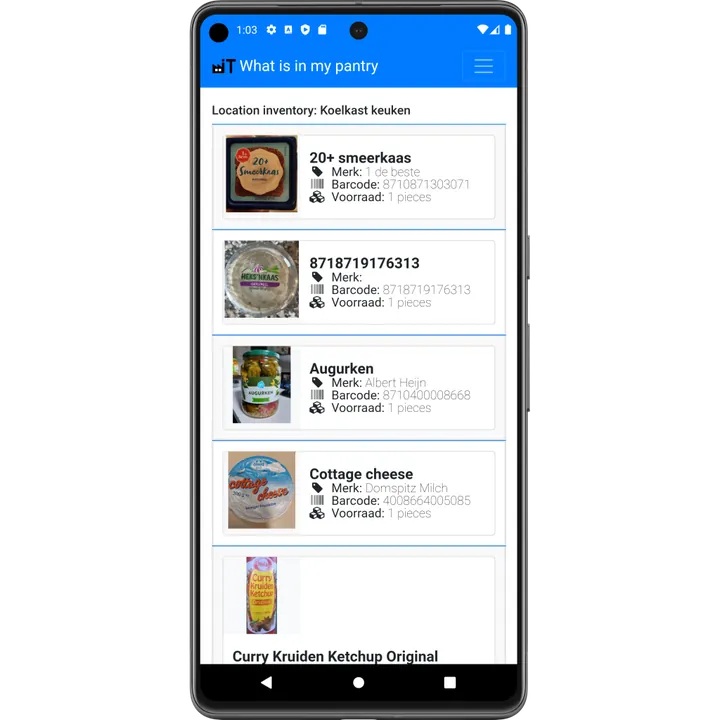
Stock per location
Want to know what is in the freezer? Open Locations and choose the freezer to see only the products stored there.
Always up to date
Because every scan in and scan out is processed immediately, the overview is real time. Everyone in your household who is connected to the same administration sees the same numbers.