Storage locations
Storage locations are the places where you keep your food and supplies, such as the pantry, fridge, freezer, cellar or garage. Every item in What Is In My Pantry is stored at a location, so you always know not only what you have but also where it is.
View your locations
Press the Locations button on the main screen or in the menu.
Adding locations
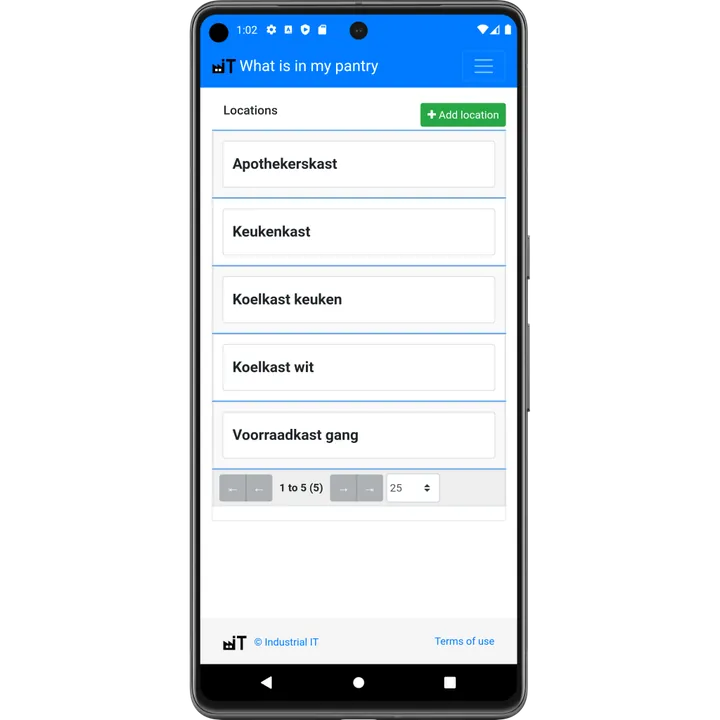
Press Add location and enter a name. Tip: use names everybody in the house understands, like "Fridge kitchen", "Freezer garage" or "Top shelf pantry".
Have many shelves or boxes? Use Create series to make a range of locations at once, with a prefix, suffix and number range (for example Shelf-1 to Shelf-20). You can also scan a location barcode instead of choosing the location from a list.
Stock per location
Open a location to see exactly what is stored there. This is handy before you do groceries ("what is still in the freezer?") or when you count one cupboard at a time.
How many locations do I need?
Start simple: one location per appliance or cupboard. You can always add more and move stock later.
The Basic plan has one location. Multiple storage locations are part of the Advanced subscription.